
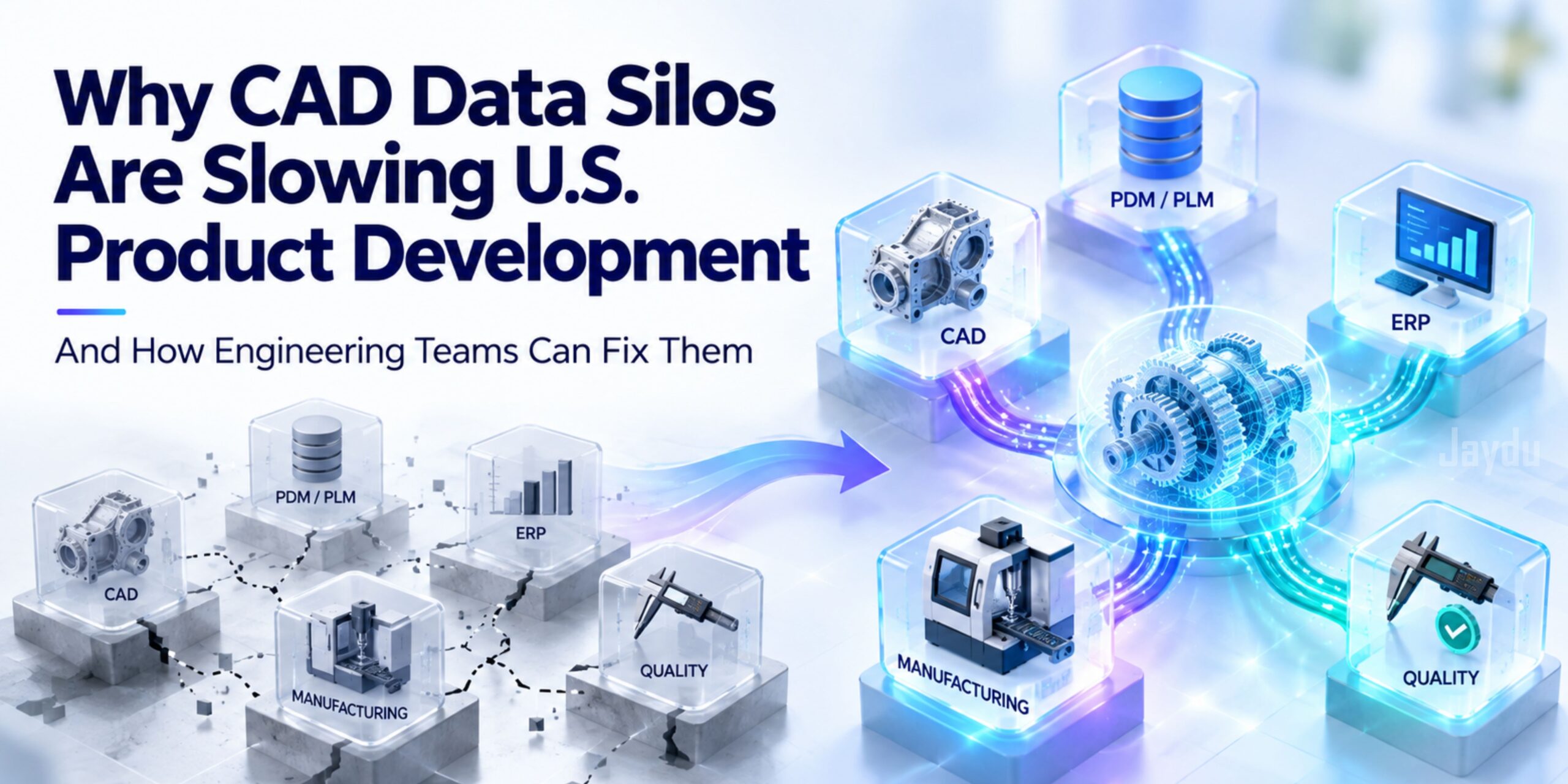
Why CAD Data Silos Are Slowing U.S. Product Development and How Engineering Teams Can Fix Them

CAD data silos
ENGINEERING & MANUFACTURING • 3.5 MIN READ

Why CAD Data Silos Are Slowing U.S. Product Development and How Engineering Teams Can Fix Them

A practical look at fragmented CAD environments, disconnected product data and the workflow changes that can reduce engineering friction.

CAD DATA MANAGEMENT  /  PRODUCT DEVELOPMENT  /  DIGITAL ENGINEERING
ENGINEERING & MANUFACTURING • 3.5 MIN READ

The problem isn't a lack of engineering data.

It's that the right data is often trapped in the wrong system.

CAD models sit in engineering environments. Manufacturing works with CAM, MES and production data. ERP manages business information. Quality teams maintain inspection records. When these systems don’t connect cleanly, engineers spend time finding, checking, converting and recreating information that should already be available.

CAD

PDM / PLM


CAM / MES

QUALITY

MANUFACTURING

00

THE PROBLEM AT A GLANCE

Where CAD Data Starts Breaking Down

01 · Revision Confusion

Outdated CAD versions create unnecessary engineering rework.

02 · Multi-CAD Friction

Different platforms and formats complicate collaboration.

03 · Engineering → Manufacturing

Product information gets recreated instead of transferred.

04 · Disconnected Systems

CAD, PLM, ERP, MES and quality data don’t always communicate.

01

CAD DATA CONTROL

Revision Confusion Creates Engineering Rework

When teams cannot easily establish which CAD model or drawing is current, engineers may unknowingly work from outdated information. Rework can affect assemblies, drawings, BOMs, manufacturing instructions, suppliers and quality documentation.

THE FIX

Establish a controlled product-data structure where revisions, approvals, relationships and ownership are clearly defined.

 REV A  →  REV B  →  REV C   → 
     OUTDATED → REWORK
CAD A ↘ COMMON DATA ↗ CAD B

02

INTEROPERABILITY

Multi-CAD Environments Increase Translation Friction

Multi-CAD is often unavoidable. Suppliers, customers, acquired businesses and specialized engineering teams may use different tools. The answer isn't necessarily forcing everyone onto one CAD platform.

The answer is a clear interoperability strategy.

Define which formats should remain native, when neutral formats should be used, what information must survive translation and how converted designs are validated.

03

ENGINEERING → MANUFACTURING

Stop Treating CAD as an Isolated Engineering File

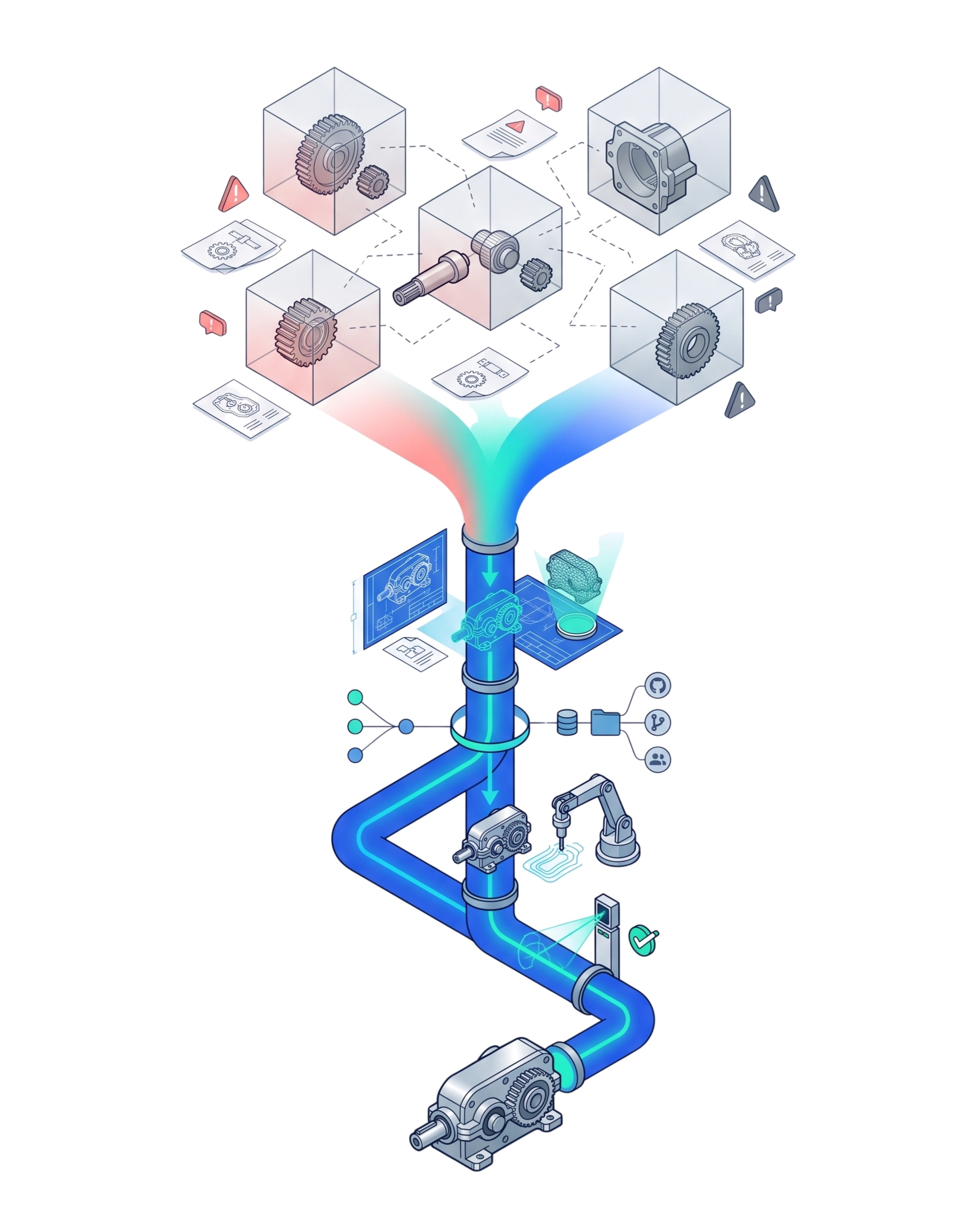
If manufacturing has to recreate information from engineering models, the organization introduces another opportunity for interpretation errors. CAD should be part of a connected product-data workflow—not an isolated engineering file.

DISCONNECTED

ENGINEERING → MANUAL RECREATION → MANUFACTURING

CONNECTED

CAD → PDM / PLM → CAM / MES → QUALITY

04

THE PRACTICAL FIX

How Engineering Teams Can Fix CAD Data Silos

01

Map the Handoffs

Find where information stops moving and where data is recreated, delayed or misunderstood.

02

Create Product-Data Logic

Give CAD, PDM/PLM, ERP, MES and quality systems clear roles and defined exchanges.

03

Automate Repetitive Data Work

Automate repeatable conversion, validation, naming and transfer while keeping engineering judgment with engineers.

04

Build the Feedback Loop

Give manufacturing, inspection, supplier and field information a defined path back to engineering.

Connected CAD isn't the goal.

Better product development is.

LESS REWORK • FASTER HANDOFFS • BETTER DATA CONFIDENCE
DIGITAL ENGINEERING

From CAD Files to a Connected Engineering Thread

CAD  →  PDM / PLM  →  CAM / MES  →  PRODUCTION  →  QUALITY

The objective is consistent product information across the lifecycle—with a reliable

feedback path back into engineering.

FAQ

Questions Engineering Leaders Are Asking

What are CAD data silos?

CAD data silos occur when design files, revisions, metadata and related product information are separated across tools or teams without a reliable way to access or exchange them. This can leave engineering, manufacturing, quality and suppliers working from incomplete or inconsistent information.

Why do CAD data silos slow product development?

They create extra work when teams search for the right file, verify revisions, translate models between CAD platforms or manually recreate engineering data for downstream systems. These handoffs can introduce delays, errors and avoidable rework.

How can engineering teams reduce CAD data silos?

Start by mapping where product information moves between teams and systems. Then define ownership, revision controls, exchange formats and validation rules. Automating repeatable transfer and checking tasks can further reduce manual effort while preserving engineering review where it is needed.

Does solving CAD data silos require replacing CAD software?

Not necessarily. Many organizations can improve data flow by defining interoperability standards, connecting existing systems and establishing consistent product-data processes. A platform change should be considered only when the current environment cannot meet important business or technical requirements.

How does CAD data connect to the digital thread?

CAD provides design intent and product geometry. When connected with PDM or PLM, manufacturing, quality and other lifecycle systems, that information can move through defined workflows and link design decisions to production and product-performance feedback. The exact connections depend on the organization’s systems and processes.

Can CAD data silos affect AI initiatives?

Yes. Fragmented, duplicated or poorly governed engineering data can make it harder to prepare reliable inputs for AI applications. Consistent metadata, clear revision history, accessible data and appropriate validation help create a stronger foundation for AI-supported engineering workflows.

JAYDU · ENGINEERING INSIGHT

The next engineering bottleneck may not be
your CAD software.

It may be what happens after the CAD model is created. Jaydu helps engineering organizations address connected CAD, engineering data, automation and digital engineering challenges through practical, lifecycle-focused workflows.

Explore Engineering Solutions →